


|
Name |
Privacy Display |
|---|---|
|
Google Play Link |
GET IT ON
Google Play
|
|
Category |
Tools |
|
Developer |
MAA FOR APPS |
| Last version | 1.9.2 |
|
Updated |
|
|
Compatible with |
Android 6.0+ |
Introduction to Privacy Display APK
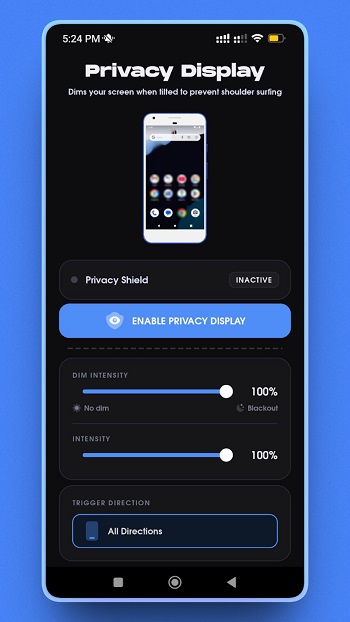
Privacy Display is an Android utility app built for people who want a quicker way to make their screen harder to see in public. Its main job is simple: it adds a dark overlay when you tilt your phone, so the display looks dimmer than the normal system brightness allows. That makes it useful on buses, in cafés, in bed, or anywhere a bright screen feels a bit too loud.
The app uses your phone’s motion sensors to detect tilt direction. After that, it applies a screen overlay based on the settings you choose. You can pick how dark the overlay should be, adjust how sensitive the tilt trigger feels, and decide how naturally it should respond to your hand movement. It is a small idea, but it solves a real annoyance.
One of the most practical parts of Privacy Display is how fast it works once set up. You do not need to dig through menus every time your screen feels too bright. A quick tilt can trigger the dimming effect, and the notification shortcut gives you a fast way to turn the overlay on or off. That kind of convenience matters when you are trying to lower brightness in two seconds, not start a side quest in settings.
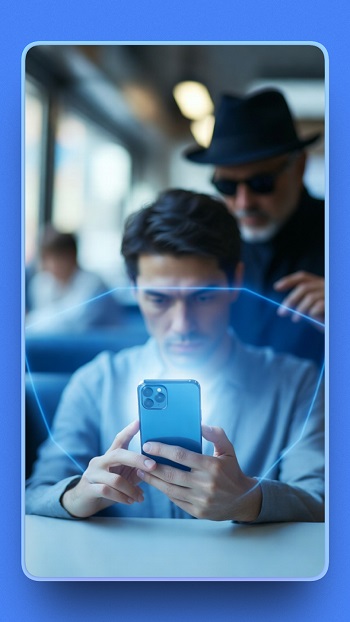
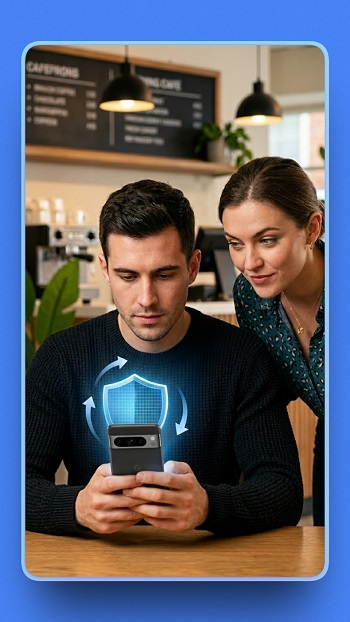
The app is especially helpful for people who use their phone in shared spaces. Commuters, night readers, students, and anyone who checks messages in public can get more comfort and a little more visual privacy. It can also help in low-light rooms where the regular minimum brightness still feels harsh. For users with sensitive eyes, that extra dimming layer may be the main reason to keep it installed.
Privacy Display also keeps its feature set focused. It does not try to be a full privacy suite or a giant toolbox with ten unrelated extras. You get tilt-based dimming, adjustable dim level, sensitivity controls, and a quick toggle through notifications. That lightweight approach can be a plus because the app stays easy to understand and does not feel cluttered.
There are still a few limits to know before using it. Since it relies on overlay permission, some users may feel cautious about granting access over other apps. Motion-based controls can also take a little trial and error before they feel right, especially if your usual phone movement triggers the dimming too often or not enough. And because it uses a dark overlay instead of changing the panel hardware itself, visibility may still depend on your screen type and brightness conditions.
Privacy Display suits people who want a straightforward screen-dimming tool without extra noise. It fits best in daily situations where quick privacy and lower brightness matter more than advanced customization. If your phone often feels too bright at night or too visible in public, this app handles that one job with a clear purpose and a refreshingly simple setup.
FAQs Privacy Display
What is Privacy Display used for?
+
Privacy Display is used to dim your phone screen with a dark overlay, making it less visible in public and more comfortable in low-light places.
How does Privacy Display work?
+
Privacy Display uses your phone’s motion sensors to detect tilt, then applies a dark screen overlay based on your selected dim level and sensitivity.
Does Privacy Display lower brightness below the normal system limit?
+
Yes. Privacy Display adds an overlay on top of the screen, so it can make the display look darker than the standard minimum brightness setting.
Which permissions does Privacy Display need?
+
Privacy Display needs permission to display over other apps so the dimming overlay can appear, and notification permission for quick on/off access.
Who should use Privacy Display APK?
+
Privacy Display APK is useful for commuters, night readers, students, and anyone who wants a dimmer screen and more privacy in public or shared spaces.
Discover More Interesting Apps
-
 Mod
Mod
Material Capsule
v17.2
22.97 Mb
Updated -
Mod
Vip Proxy Server
v2.12.41
35 MB
Updated -
Mod
Hola VPN
vX86_64_1.260.259
27.85 Mb
Updated -
Mod
1.1.1.1 VPN
v6.38.10
153.00 Mb
Updated -
TikFinity
v2.7.2
88.24 Mb
Updated -
Mod
Free VPN
v2.5.4.2
155.00 Mb
Updated -
MemeOS Enhancer Pro
v5.6.6
42.4 MB
Updated -
K2er
v0.4.126
46.15 Mb
Updated -
Mod
Kimi
v3.1.4
71.19 Mb
Updated -
Mod
Proton VPN
v5.20.57.0
63.00 Mb
Updated







Share Your Thoughts